Download the latest release
v0.2.0Download Gnosis
Download from GitHub Releases
View source code
Visit the repository on GitHub!
All releases on GitHub →Total downloads: 863
Getting Started
- 1Download & install the Windower addonExtract the addon zip into your Windower folder. It should be under
Windower/addons/Gnosis/. Load the addon ingame with//lua l Gnosis. - 2Download & install the ViewerDownload the Viewer and run the
installer.exeto set up and install it for viewing logs. - 3Configure your Gnosis data folder location in the ViewerOpen the Viewer and go to Settings, then set the Data folder to where you extracted the Gnosis addon, usually
Windower/addons/Gnosis/data/.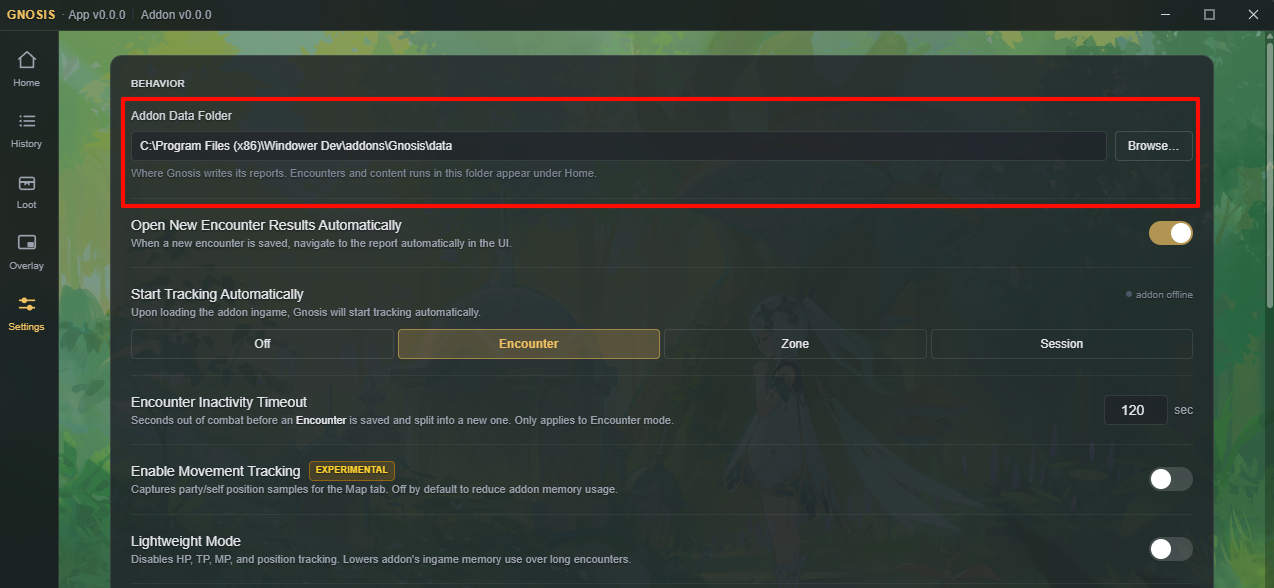
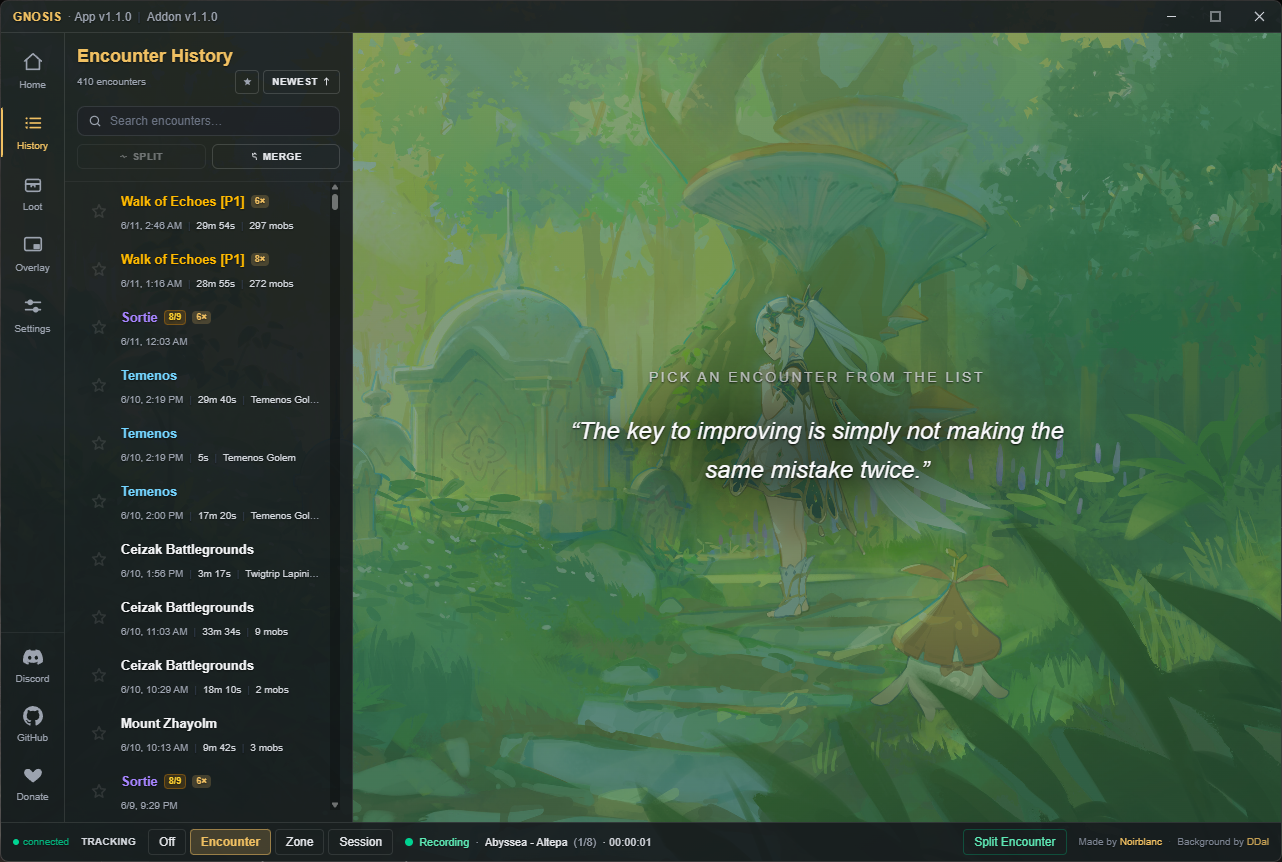
- 4You're ready to go!The Gnosis Viewer should now be connected ingame and you should be ready to start logging! The default tracking mode is Encounter, but you can set different types of tracking behavior at the bottom bar. Enjoy!
Reporting Bugs & Feature Requests
Gnosis is currently in Beta testing, which means there will likely be lots of bugs and stability issues.
If you run into any issues or bugs, or if you have suggestions for new features in Gnosis, please visit our Discord at discord.com/invite/vSgYvdh8gT. Thank you, and happy testing!